Runs inside your Next.js app
The admin, handlers, auth and database client ship with the application you own.
See the architectureOne typed config becomes a full /admin route for your Next.js app — CRUD, dashboards, queues, realtime. Drizzle or Prisma. Eject when you outgrow it.
Production model
The admin, handlers, auth and database client ship with the application you own.
See the architectureFlowPanel does not receive your database credentials or application rows.
Review data ownershipRoles, operations, fields and tenant scope are checked again on every request.
Inspect authorizationIdentity, migrations, deployment, observability and infrastructure remain explicit.
Understand tenant scopeNo page tree per resource to maintain. Add a column to your schema, list it — the typed UI follows. Everything you don't list stays out.
import { defineAdmin, resource } from "@flowpanel/kit";
import { drizzleAdapter } from "@flowpanel/kit/drizzle";
import { withClerk } from "@flowpanel/kit/auth";
import { db } from "@/db";
import * as schema from "@/db/schema";

export default defineAdmin({
  adapter: drizzleAdapter({ db, schema }),
  auth: withClerk({ requireRole: "admin" }),
  resources: [
    resource(schema.jobs, {
      columns: [
        "title",
        "platform",
        "category",
        "priceUsd",
        "postedAt",
      ],
      filters: [
        {
          field: "platform",
          type: "select",
          options: ["LinkedIn", "Remote OK", "Wellfound"],
        },
      ],
    }),
  ],
});
A typed table — exactly the five columns you listed, in order.
A platform filter — URL-synced and shareable.
Search, sort, pagination and a row drawer — included, nothing wired.
Type-checked end to end — misspell a column and it won't compile.
flowpanel introspects your schema, writes one config, scaffolds your /admin page.
One command: detect your ORM, install the packages, write a typed config. No manual setup.
$ pnpm dlx @flowpanel/cli init detected prisma · 9 models installed @flowpanel/kit, @flowpanel/cli wrote flowpanel.config.ts
Pick the resources you want, add filters, override the column you care about.
defineAdmin({
  resources: [resource(schema.users, { columns: ["email"] })],
})
One page export, one route handler. The /admin surface is fully typed.
$ cat app/admin/[[...slug]]/page.tsx export default createFlowpanel(config).page
List, create, edit, delete — columns and filters type-checked against your schema.
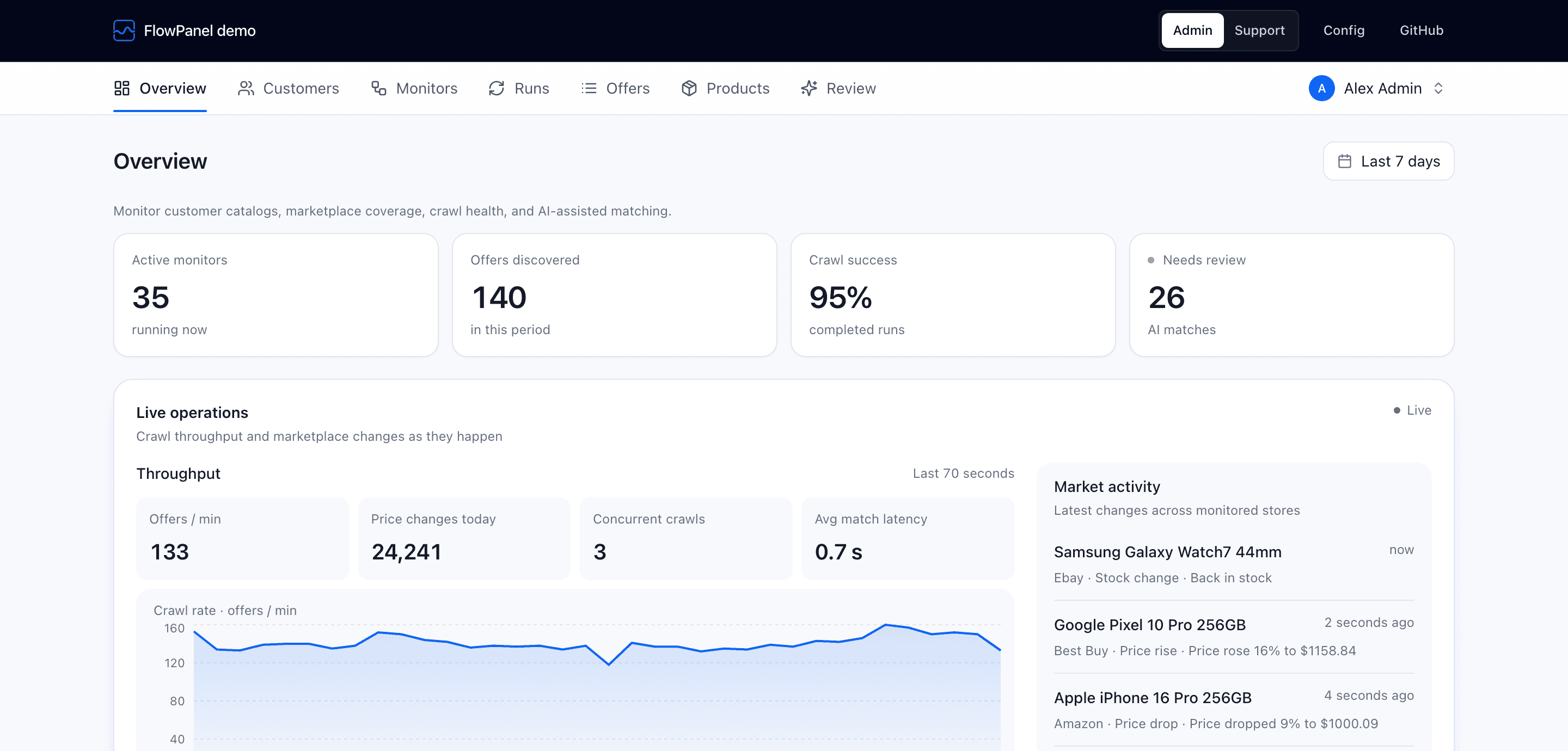
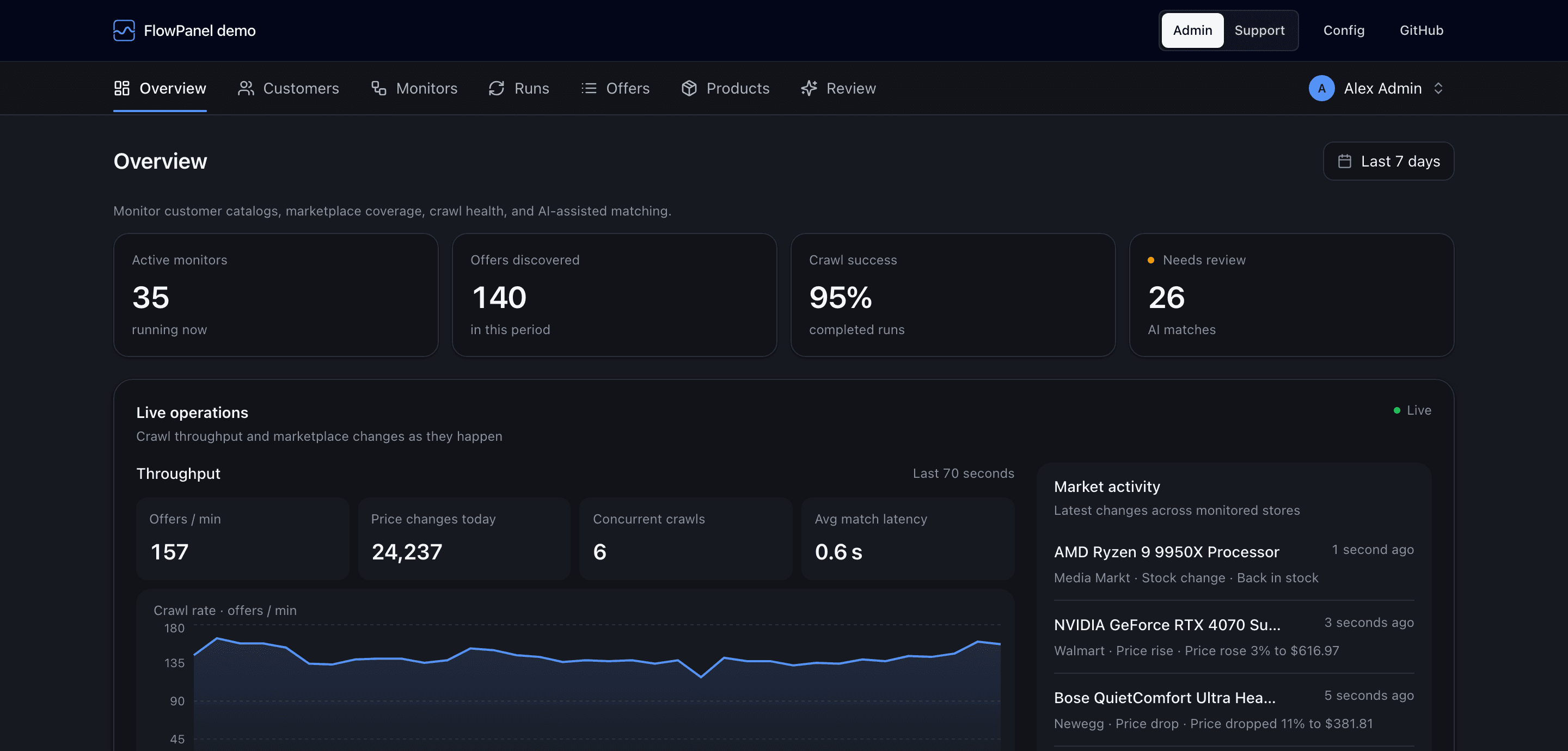
Metric, table, and chart widgets with server-prerendered cells.
Queue health and job UIs, surfaced straight from the adapter.
Lists refresh live — in-memory driver for dev, Redis for production.
Bring Clerk, NextAuth, or Lucia; gate the whole panel by role.
⌘K jumps to any registered resource. Included, no wiring.
Fail-closed row scoping per tenant, enforced on every query.
A mutation audit trail with a pluggable sink.
Persists across navigations, with no first-paint flash.
Stay declarative, swap a single component, or take the source — without ever losing your types.
Override a column renderer, add a row action, or hide a field.
columns: [{ field: "status", render: (row) => row.status }]
Replace any built-in — MetricCard, Badge, Pagination and seven more — with your own component.
theme: { components: { MetricCard: MyMetricCard } }
One command writes a five-file scaffold into your repo, lists every file, and comments the config entry out. Every file is yours.
$ pnpm flowpanel eject resource users app/admin/users/page.tsx app/admin/users/new/page.tsx app/admin/users/[id]/page.tsx app/admin/users/[id]/edit/page.tsx app/admin/users/actions.ts Ejected resource users
Two complete admins live in the repo, seeded and runnable. Read the config that produced them, or follow each README to start one locally.
Open the live demoAn AI scraping SaaS ops admin: resources, dashboards, BullMQ queues and realtime, on Drizzle + Postgres.
A minimal users/posts admin gated behind Clerk — middleware, provider, one line of config.
Get started
Run the initializer in your Next.js app. It detects Drizzle or Prisma, installs the packages, and writes your first typed config.